


2007 Mini Cooper S


Thread Starter
|
Junior Member
Joined: May 2015
Posts: 4
From: Kansas City
 2007 Mini Cooper S
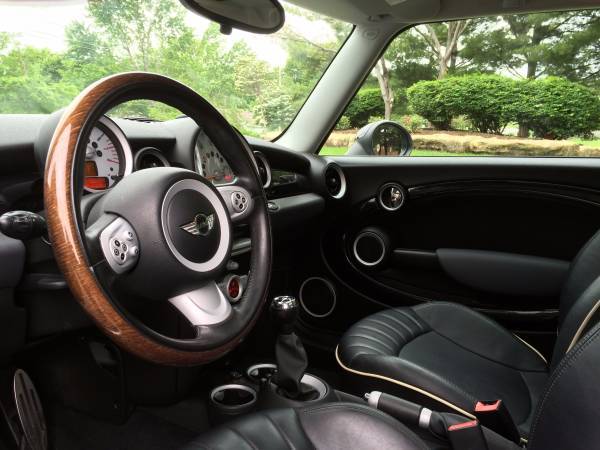
Hello, I just purchased my first Mini. It is a 2007 Mini Cooper S. This particular model seems to have a fairly unique interior that sealed the deal for me. It has been awesome to drive and I look forward to driving it for years to come.
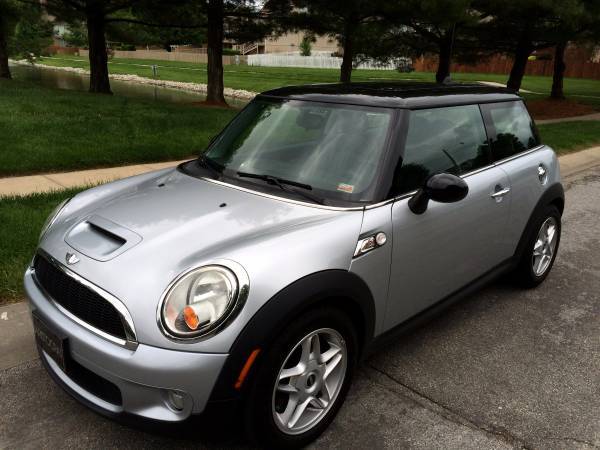
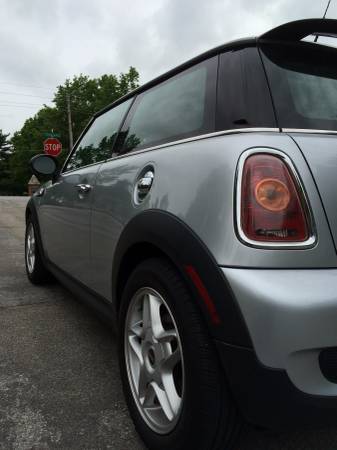
As you can see, I will need to address the hood and trunk badges. Do you know if the entire badge needs to be replaced, or can you just replace the inner circle portion of the badge?
As you can see, I will need to address the hood and trunk badges. Do you know if the entire badge needs to be replaced, or can you just replace the inner circle portion of the badge?

Senior Member
Joined: Apr 2012
Posts: 1,318
Welcome! You'll need to possibly replace the whole badge as I believe you cannot just buy it in pieces. Can buy emblems here. Removing and replacing them is pretty simple. For the badges I like to use a heat gun to soften up the adhesive. This makes it much easier to remove. Don't leave the heat gun pointed at a single spot for too long as you can damage the paintwork. Once the adhesive has been heated up, use dental floss to cut the adhesive between the script and body. Once the script is removed, use alcohol (or goo-gone) to clean off any remaining adhesive. Placing the new script on is very simple. Just make sure you're lined up properly.
.
If you need any other DIY help you can check out our tech articles here as we will be adding much more content soon. Hope you enjoy your new Mini!
-Luccia
If you need any other DIY help you can check out our tech articles here as we will be adding much more content soon. Hope you enjoy your new Mini!
-Luccia
Thread Starter
|
Junior Member
Joined: May 2015
Posts: 4
From: Kansas City
Hello, I've had the Mini Cooper S for about a month now and have been very happy with the car.
The one thing that I cannot figure out, and is driving me crazy, is the clock. I was able to set the clock to the correct time, but my clock is on 24-hour time. I dug through my user's guide and couldn't find any information. I found how to change this on previous versions, but it doesn't seem the same on my car.
Does anyone know how to change the clock from 24 to 12 hour time on an R-56?
The one thing that I cannot figure out, and is driving me crazy, is the clock. I was able to set the clock to the correct time, but my clock is on 24-hour time. I dug through my user's guide and couldn't find any information. I found how to change this on previous versions, but it doesn't seem the same on my car.
Does anyone know how to change the clock from 24 to 12 hour time on an R-56?


Thread
Thread Starter
Forum
Replies
Last Post
haxmed
07-up MINI Cooper/Cooper S (R56)
0
Jul 4, 2015 09:57 AM
agreenberg1977
PRIVATE For Sale / Trade Classifieds
0
Jun 26, 2010 12:39 PM
falconeight
PRIVATE For Sale / Trade Classifieds
0
Mar 12, 2008 05:38 PM